
freepbx_general:prompt_languages
Installing system sound prompts in other languages
While many users are accustomed to English sound prompts for IVRs, services, and voicemail prompts, some users would prefer to hear these prompts in a different native language. To install sound prompts in languages other than American English, simply follow this easy tutorial!
In the FreePBX GUI, choose Admin > Sound Languages. From there you can download language packs and set the default system language:

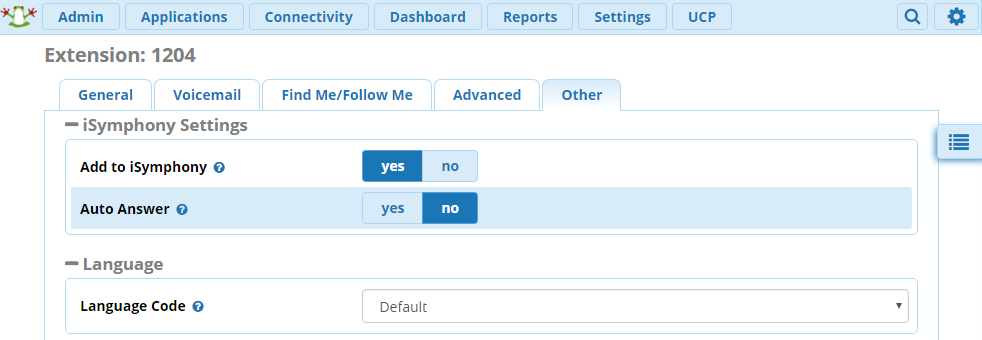
If you wish to change the language for an individual extension, edit the Extension, navigate to the Other tab, and select the a different language from the drop down menu:
freepbx_general/prompt_languages.txt · Last modified: by TheWebMachine